Now on the App Store · iPhone
Live in 3D from your iPhone.
Two back cameras. One live stereo camera. VR180, 360 and 3D, straight to YouTube, your server or a VR headset.
StreamToVR films with the ultra-wide and the wide camera at the same time, aligns the pair on the GPU and streams a true stereoscopic picture live. No rig, no second phone, no capture card.
Free · YouTube, RTMP and SRT included · Headset player is a one-time purchase
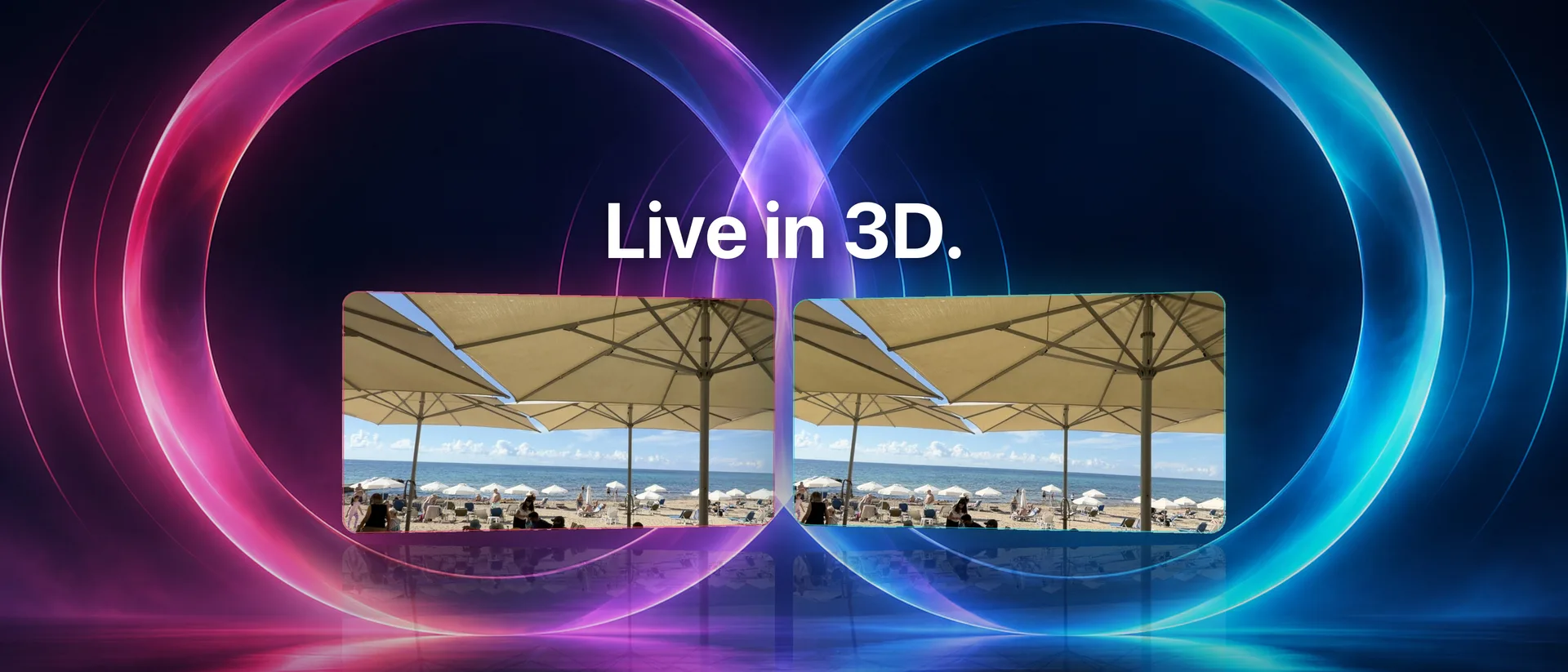
- 2 camerasone stereo camera
- VR180 · 360 · 3Dplus Apple spatial video
- 2160pto YouTube Live
- ~3 msper frame on the GPU
How it works
A stereo camera
you already carry.
Every iPhone with two back cameras has what a 3D camera needs: two lenses a few centimeters apart and a factory calibration that says exactly where they are. StreamToVR puts them to work.
- 01
Both cameras film at once
The ultra-wide and the wide camera run together. The ultra-wide is cropped to the wide camera's field of view, and exposure and white balance are kept in step so the two eyes match.
- 02
Every frame aligned on the GPU
Each pair is rectified in Metal from the iPhone's own stereo calibration in about 3 ms, so the picture is comfortable to watch in a headset. The ultra-wide becomes the left eye, the wide the right.
- 03
Encoded and sent live
The stereo pair is composed into VR180, 360 stereo or flat 3D, encoded in HEVC, H.264 or MV-HEVC and streamed to the destination you chose, with live captions if you want them.
Destinations
Go live
anywhere.
One destination at a time, switched with a tap. YouTube Live, your own streaming server or a headset in the same room.
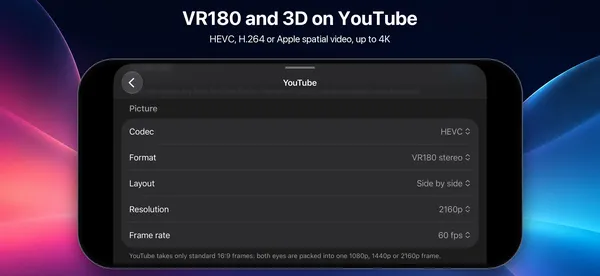
VR180 and 3D on YouTube
Paste the stream key and go live over RTMPS with Enhanced RTMP. YouTube gets the spherical metadata it needs, in standard 16:9 frames up to 2160p.
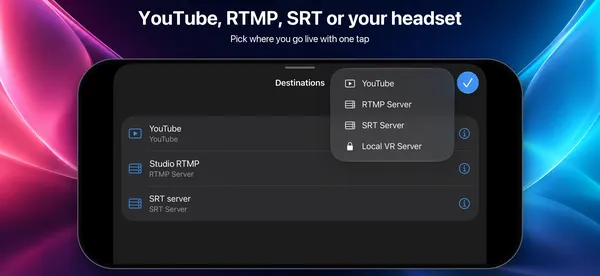
RTMP, RTMPS or SRT
MediaMTX, OBS, vMix, nginx-rtmp, Wowza and the like. SRT with stream ID, passphrase and latency. A dropped connection retries by itself.
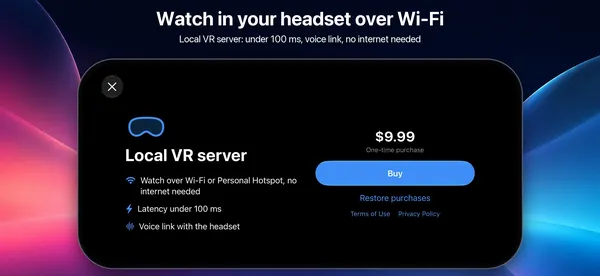
Watch live in Meta Quest over Wi-Fi
The iPhone serves a WebXR player itself. Open the address or scan the QR code in the headset browser. No internet, no account; Personal Hotspot works too.
The picture
The format
your audience needs.
Pick the projection, the layout and the codec per destination. Depth is tuned on air, without stopping the stream.
- Projections
- VR180, 360 stereo, flat 3D
- Layouts
- Side by side, top-bottom, mono
- Codecs
- HEVC, H.264, MV-HEVC (Apple spatial video)
- Resolution
- Up to 2160p on YouTube, native stereo elsewhere
- Frame rate
- Up to 50 fps per eye on iPhone 17 Pro
- Depth
- Parallax and scene scale, applied live
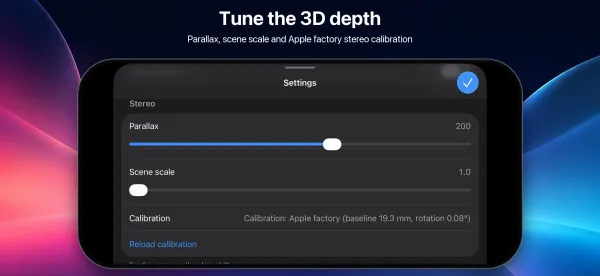
Tune the 3D on air
Parallax and scene scale move the picture in front of or behind the screen while the stream keeps going.
Built for going live
Made for the moment
you cannot redo.
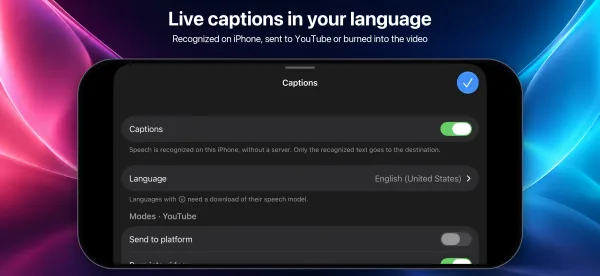
Live captions in your language
Speech is recognized on the iPhone and sent to YouTube, shown in the headset or burned into the picture.
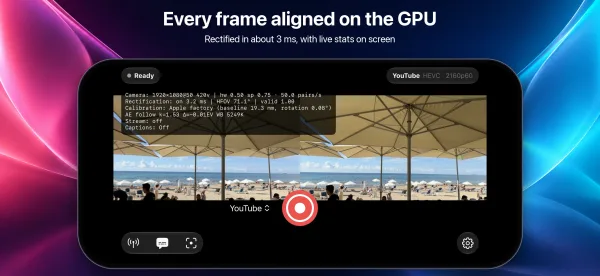
Every stage in view
Frame rate, bitrate, encoder and network state on one panel, plus the battery time left in the corner.
Keeps going when the network does not
A dropped connection retries after 1, 2, 4, 8 and 15 seconds. When the network falls behind, video pauses instead of stuttering and resumes at the next key frame.
Exposure in step, always
The two cameras share exposure and white balance, and the remaining brightness gap closes on the GPU, so the left and the right eye never drift apart.
One screen to go live
Preview, destination, captions and focus on one landscape screen, with no control covering the picture. Tap the red button and you are on air.
English and Russian
The whole app, including captions, works in both languages.
Who it is for
Made for three kinds
of people.
If you have an iPhone and want a live 3D picture somewhere else, StreamToVR is the shortest way there.
VR180 and 3D creators
Go live on YouTube in VR180 or 3D without a dedicated stereo camera. Your iPhone is already in your pocket, and the stream starts in a minute.
Headset owners
Watch a concert, a trip or the view from a window live in 3D from across the house, with nothing but Wi-Fi between the iPhone and the headset.
Streamers and operators
Send true stereo 3D to your own RTMP, RTMPS or SRT server and take it from there in OBS, vMix or MediaMTX, with reconnects and statistics you can trust.
Pricing
Free to stream.
One optional purchase.
StreamToVR is free to download. Streaming to YouTube, RTMP and SRT is included with no limits, watermarks or subscriptions.
YouTube Live, RTMP, SRT
Every format and codec, live captions, auto-reconnect, statistics. Free.
Local VR server
The WebXR player for headsets on your Wi-Fi. Buy once, no subscription, restore on any of your iPhones from Settings.
Privacy
Nothing leaves
without you.
No account, no advertising, no analytics. The picture and the sound go only to the destination you choose. Stream keys and passphrases stay in the iPhone Keychain, and captions are recognized on the device. Read the privacy policy →
Questions
Before you go live.
Which iPhone do I need for StreamToVR?
An iPhone with an ultra-wide and a wide back camera that can run both at the same time, on iOS 26 or later. On iPhone 17 Pro the app streams 1080p per eye at 50 frames per second. An iPhone that cannot run both cameras together shows a notice instead of the live screen.
Can I live stream VR180 to YouTube from an iPhone?
Yes. Paste the stream key from YouTube Studio, choose VR180, 360 stereo or flat 3D and a resolution up to 2160p, and go live. StreamToVR sends the stream over RTMPS with Enhanced RTMP and the spherical metadata YouTube needs to show it as VR180 or 3D.
Does it work with Meta Quest and other VR headsets?
The local VR server turns the iPhone into a WebXR player for any headset with a WebXR browser, such as Meta Quest. The headset and the iPhone join the same Wi-Fi or the iPhone's Personal Hotspot; you open the shown address or scan the QR code in the headset browser. No internet and no account are needed.
Can I stream to my own RTMP or SRT server?
Yes. StreamToVR streams to RTMP, RTMPS and SRT servers, with stream ID, passphrase and latency for SRT, so it works with MediaMTX, OBS, vMix, nginx-rtmp, Wowza and similar software.
Is StreamToVR free?
StreamToVR is free to download, and streaming to YouTube, RTMP and SRT is included. The local VR server for headsets is a single one-time in-app purchase with no subscription. It can be restored on any of your iPhones from Settings.
What happens to my data?
There is no account, no advertising and no analytics. The picture and the sound go only to the destination you choose. Stream keys and passphrases stay in the iPhone Keychain, and live captions are recognized on the device.
How is the 3D picture made from one iPhone?
The ultra-wide and the wide back cameras film at the same time. The ultra-wide view is cropped to the wide camera's field of view, exposure and white balance are kept in step, and every frame pair is aligned on the GPU from the iPhone's factory stereo calibration in about 3 milliseconds. The ultra-wide becomes the left eye and the wide the right.
More in Support: YouTube step by step, server addresses, the headset, captions and troubleshooting.
Your next stream, in 3D.
Free on the App Store for iPhone.
Free · Optional one-time purchase