I wrote a small utility for a very specific video operation: decode a large stereo HEVC stream, keep the left eye, reduce it to a square image and encode it again. The source is on GitHub.
The input geometry is straightforward. A 5760 by 2880 frame contains two 2880 by 2880 views side by side. Taking the left half produces a single-eye image. That image can then be reduced for a lighter downstream task without carrying the full stereo frame through the rest of the pipeline.
This is a proxy operation. It does not replace the original stereo material, and it does not reconstruct a normal perspective camera from the fisheye view. Cropping chooses a region. Resizing changes its sampling density. Neither step changes the projection that produced the image.
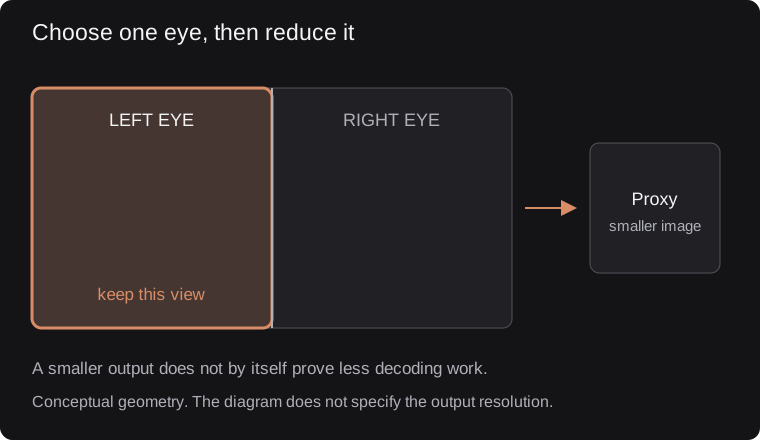
Select one complete eye view, then resize it. The diagram does not prescribe output dimensions; a smaller output alone does not establish less decoding work.
That distinction is easy to overlook when a smaller output suddenly becomes convenient to display. A fisheye image remains a fisheye image, even when it fits neatly into a square preview window.
Decode, crop, scale, encode
The program uses FFmpeg's libraries for input and decoding, libswscale for resizing, and x265 for output encoding. Those stages have different responsibilities. The decoder reconstructs pixels from compressed input. Cropping selects the eye region. Scaling produces the smaller frame. The encoder makes a new compressed representation of those pixels.
The size reduction is substantial before compression even enters the discussion. Selecting one eye halves the source pixel count. Reducing that eye's width and height by four reduces its pixel count by another factor of sixteen. The exact output dimensions are a configuration choice; the useful point is to spend processing and bandwidth on the information the next stage needs.
The code and README also show why small utilities deserve inspection rather than blind copying. The README describes a 720 by 720 output, while the checked C source uses 200 by 200 constants. Those are different proxy sizes. Anyone adapting it should set the dimensions deliberately rather than assume the documentation and current experiment are identical.
The same care applies to time. There is an option to process every other input frame. Skipping frames can reduce work, but timestamps and declared frame rate must agree with that choice. Keeping half the frames and playing them at the original rate would change the apparent speed. The encoder configuration in the code accounts for the reduced frame rate; the complete output still needs checking in the intended player.
A container adds another layer. Raw HEVC is a sequence of coded video data, while MP4 also carries timing and other information a player expects. The later changes to the utility added MP4 output. That is a practical improvement for passing the result to software that expects a file with an ordinary playback timeline.
I would use a small proxy when the next operation needs a representative image rather than the full capture. A control panel, a thumbnail or a quick visual inspection can benefit from a reduced stream. An operation that needs fine detail or stereo correspondence should use an appropriately preserved source instead.
There are no benchmark numbers to attach to this utility. The useful result is the explicit transformation and a small piece of code that can be inspected. It has a narrow contract: choose one eye, change its size, encode the result. Keeping that contract visible makes it easier to place the tool in a larger capture workflow without mistaking convenience for preserved information.